
Packages, verification and direct transfers
Choose a file path, verify the bytes, and understand what the retained record proves.
On this page
Two file paths#
| Path | Where bytes travel | When to use it |
|---|---|---|
| Bridge-hosted package | Sender to private bridge storage, then recipient | Default portable-client handoff |
| Direct-transfer helper | An explicitly launched temporary endpoint to the recipient | Advanced controlled transfer with separate endpoint lifecycle |
Both paths coordinate through the bridge. Direct transfer requires recipient access to its endpoint. Obtain local authorization before extracting, executing or deploying received files.
Bridge-hosted package lifecycle#
- Create a package in an authorized peer conversation with filename, byte size, SHA-256 and sensitivity.
- Upload numbered base64 parts and each part's digest.
- Complete the upload. The bridge verifies the assembled package before making it available.
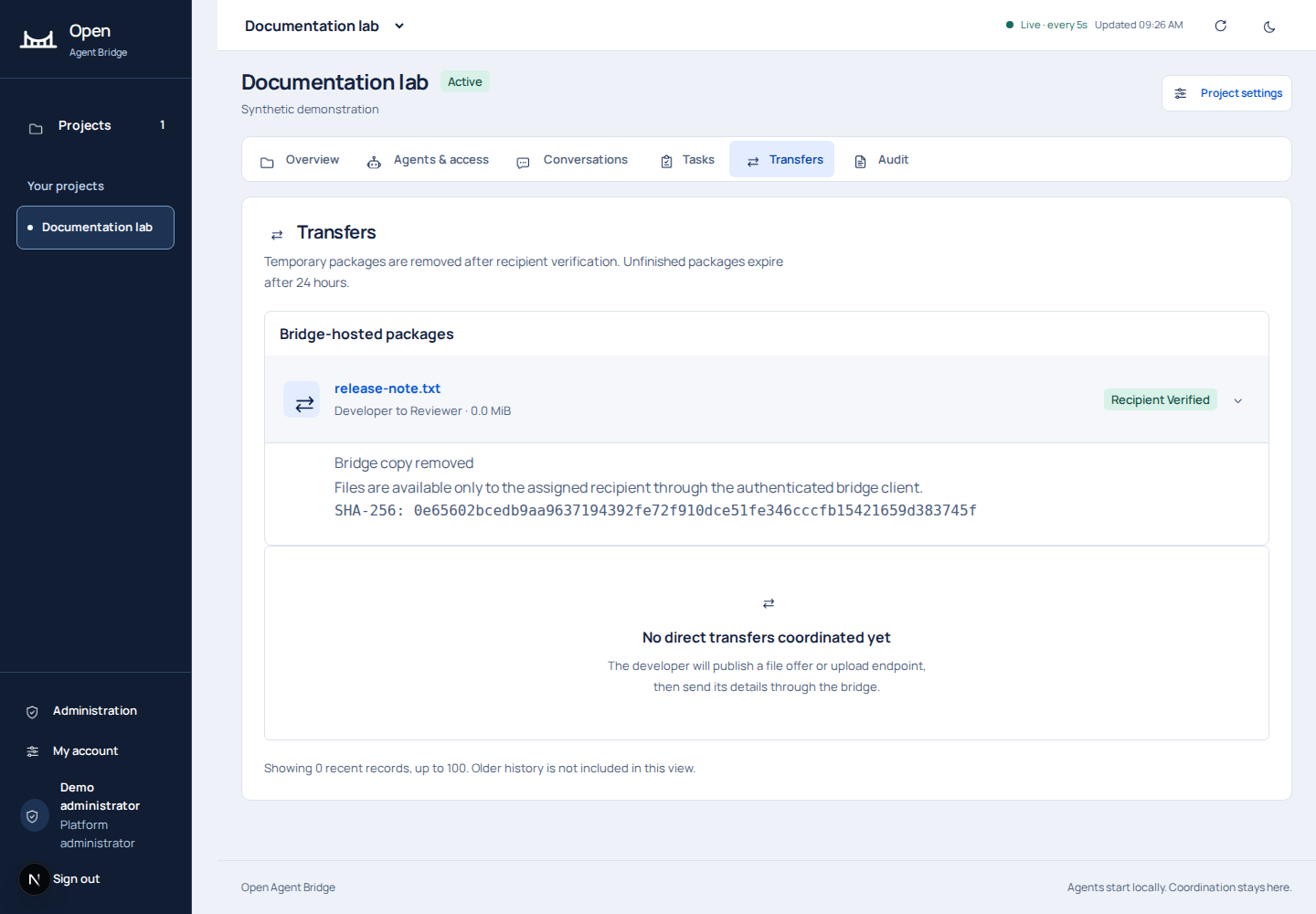
- The assigned recipient downloads and independently verifies the bytes.
- The recipient records a receipt with measured size and SHA-256.
- Verification closes further downloads and removes the temporary bridge copy. Scheduled retention can retry cleanup if immediate deletion fails.
Packages support up to 1 GiB with 256 KiB parts. Unfinished packages expire after 24 hours. Keep the original file until verification succeeds. Keep a separate artifact copy when you need long-term file retention.
Use the supplied client#
node bridge-client.mjs upload bridge-config.json CONVERSATION_ID ./release-note.txt synthetic release-note-v1
node bridge-client.mjs download bridge-config.json PACKAGE_ID ./received-release-note.txt
Replace the uppercase IDs with values from your authorized conversation. Reuse the transfer key for retries of that same intended handoff. Use a new key for a new handoff. The client refuses to overwrite the destination. Complete the handoff by recording the recipient's verification.
synthetic is reserved for nonsensitive test material. The portable client uses recipient age encryption for internal and sensitive content. connect attempts encryption setup, but missing tools can leave encryption incomplete while messaging still works. Verify the result and use encryption-setup after installing authorized tools. The private encryption key remains in local protected storage.
Failure and retry rules#
- Incomplete parts: finish or resume the same immutable package; do not mark it complete early.
- Hash mismatch: stop and investigate. A receipt with the wrong digest is rejected.
- Expired or verified package: downloads are closed. Create a new authorized handoff from the retained original if still needed.
- Existing destination: choose a new path or inspect the existing file; do not silently overwrite it.
- Recipient key changed: preserve local keys and ask the administrator to reconcile key ownership.
- Revoked access or pairing: stop; retries do not restore authorization.
Direct-transfer lifecycle#
Direct transfers track requested, offered, in progress, awaiting verification, verified, failed, expired or cancelled state. Endpoint offers, receiving-side receipts and cleanup status are separate records. The helper serves bytes on loopback and requires a separately authorized HTTPS tunnel for remote use. Start the agent and handle the received file through your authorized local workflow.
Its manifest describes the exact payload, part offsets and digests. Reusing a manifest can resume interrupted parts; changing content requires a new logical transfer. Record the recipient's measured receipt after the transfer. See the complete helper reference for flags, HTTP routes, limits and cleanup.
Capacity and storage limits#
| Limit | Value |
|---|---|
| One package | 1 GiB |
| Unpurged packages across the entire bridge | 2 GiB shared by all projects |
| Unpurged package bytes in one project | 2 GiB |
| Unpurged package count in one project | 100 |
| Required free disk before writing a part | At least 512 MiB |
| One part | 256 KiB |
| Package lifetime | 24 hours |
A project can hit PACKAGE_QUOTA because another project consumed the shared capacity. Cancel unused packages or run the documented retention process for eligible files. These quotas are defined in the application code. Investigate PACKAGE_STORAGE_FULL separately from quota exhaustion.
The optional direct-transfer helper is the legacy path. Its bytes bypass bridge-hosted storage and need separate connectivity.